Infusible Ink Coasters: How To Make Cricut Projects That Last?
Pressing your first coaster sounds simple until the colors come out faded or the design shifts. That uncertainty stops a lot of beginners before they even cut. In this guide, we walk through infusible ink coasters step by step, from picking blanks to heat settings, so your designs come out vivid and permanent.
Key Takeaways
- Infusible ink fuses into the coaster surface instead of sitting on top like vinyl, which is why finished designs stay smooth, peel-proof, and crack-resistant.
- Compatible coated blanks matter most - the ink only bonds to specially coated ceramic or polyester surfaces, not bare wood, glass, or stone.
- Heat, time, and zero pressure decide the result - too long fades the pigment, and moving the design causes ghosting.
- We supply high-quality custom coasters in various styles and materials that you can personalize with names, dates, logos, and artwork on a budget.
Table of contents
-
Infusible Ink Coasters
-
Can You Make Infusible Ink Coasters With Your Cricut?
-
How To Make Infusible Ink Coasters Step By Step?
-
What Materials Do You Need For Cricut Infusible Ink Coasters?
-
What Are The Best Cricut Coaster Instructions For Beginners?
-
What Heat Settings Should You Use For Cricut Infusible Ink Coasters?
-
Which Side Of The Cricut Coaster Should You Use For Infusible Ink?
-
Can You Use Sublimation Coasters With Infusible Ink?
Infusible Ink Coasters
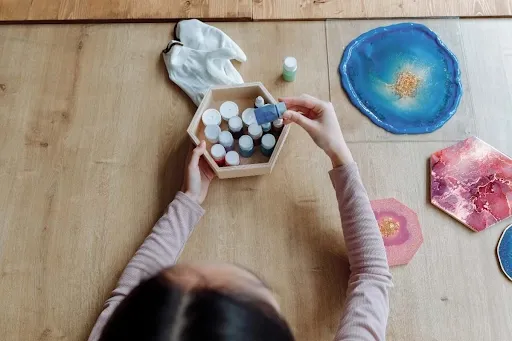
Infusible ink coasters are personalized coasters made by fusing pigment into a coated blank with heat, so the design becomes part of the surface. Unlike vinyl that sticks on top, the ink turns to gas and bonds inside the coating, which is why these are popular Cricut projects.
The technique is a form of sublimation - the science term for a solid turning straight into a gas without melting first. Cricut's own guide explains that Infusible Ink converts from a solid to a gaseous state and bonds with the blank. That bond is what makes the result permanent and peel-proof, with no raised edge to catch.
Blanks come in a few forms. Ceramic, coated MDF, and sublimation-ready blanks all work because they carry a special coating; bare materials do not. We've found Cricut users prefer this method because the finish looks professional and survives real use better than a stuck-on layer.
How Long Do Infusible Ink Coasters Last?
Infusible ink coasters last for years because the pigment sits inside the coating, not on top, so there is nothing to flake away. Cricut states these transfers never flake, peel, wrinkle, or crack, which matches what we see in daily use.
Color resists fading well, but the coaster is not indestructible. Disperse dyes used in this process bond into hydrophobic surfaces with low water solubility, which gives strong wash and wet resistance once fused.
For long life, follow material-specific care. Cricut's care note for ceramic coaster blanks is to wash with warm water and glass cleaner and avoid steel wool or scrubbing pads. Coating quality also matters - a thicker, even coating holds color longer than a thin or uneven one, so blank quality affects how the coaster ages.
Can You Make Infusible Ink Coasters With Your Cricut?
Yes, you can make infusible ink coasters with most current Cricut machines. The machine cuts your design from the transfer sheet; the heat press does the actual transfer. Per Cricut, Infusible Ink works with Cricut Joy, Maker, and Explore machines, plus Joy Xtra and Venture.
This is a beginner-friendly project for a few reasons. The cut is shallow, the design files are simple, and there is no weeding of tiny vinyl pieces beyond cracking the sheet. We've seen first-timers finish a set in an afternoon.
You design in Cricut Design Space, the free software that drives every machine, then mirror your art before cutting - a step beginners skip and regret. Want the look without buying a machine and press? Work with us to create custom photo coasters and skip the equipment entirely.
What Coasters Can You Use With Infusible Ink?
Only specially coated blanks work with infusible ink. The ink needs a polymer or polyester coating to bond with; Cricut notes blanks need at least 75% polyester or an equivalent coating for reliable results.
The blanks that work well are:
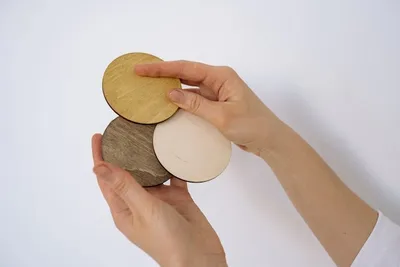
- Coated ceramic blanks for a hard, glossy, vivid finish.
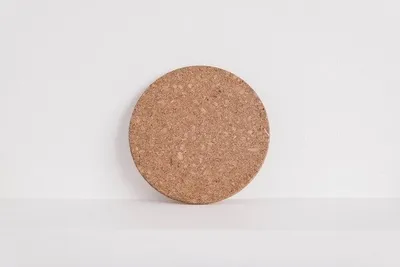
- Cork-backed coated blanks that press faster and feel softer.
- Coated MDF blanks as a budget option for gifts and favors.
A common beginner mistake is grabbing a bare tile, plain glass, or untreated stone and expecting the ink to stick. It will not. If a blank has no Infusible Ink badge and is not labeled sublimation-ready, skip it.
Want infusible ink coasters without owning a press?
Work with us to create custom ink coasters with your art fused into the surface, so you skip the heat press and the guesswork entirely.
How To Make Infusible Ink Coasters Step By Step?
Making infusible ink coasters follows a fixed order: design, cut, weed, press, then cool. Each step sets up the next, so rushing one usually shows up in the final coaster.
Here is the beginner workflow we use:
- Design and size your art in Cricut Design Space to fit the coaster face.
- Mirror the design, especially any text, so it reads correctly once transferred.
- Cut the mirrored design from the transfer sheet on a StandardGrip mat.
- Weed by cracking and peeling away the excess, leaving only your design on the liner.
- Wipe the blank with a lint-free cloth to clear dust and fingerprints.
- Place the design face down on the coated side, then tape it so it cannot shift.
- Press at the blank's stated setting with no downward pressure.
- Let it cool fully, then peel the liner to reveal your design.
How Do You Create Custom Cricut Coasters Infusible Ink Projects?
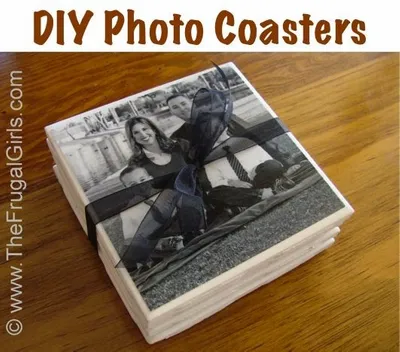
You create custom Cricut coasters by combining a mirrored design, a clean blank, and a single firm press. Upload a photo, monogram, or pattern, size it to the coaster, mirror it, and cut.
These coasters work as gifts and decor that feel made-on-purpose. Research from the University of Bath found personalized items raise a recipient's self-esteem and care, and recipients tend to keep what they value.
Popular personalization ideas include initials, wedding dates, pet portraits, and bar logos. For a coordinated set without the press, order custom personalized coasters and we match your colors and theme.
Choose ceramic coasters for vivid, permanent designs
With our custom ceramic coasters, your colors sit inside the surface for a smooth, peel-proof finish that holds up to daily drinks at home or work.
Learn moreWhat Materials Do You Need For Cricut Infusible Ink Coasters?
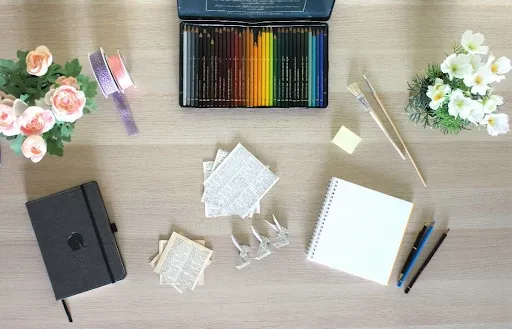
You need a Cricut machine, a heat press, infusible ink, compatible blanks, and a few heat-safe accessories. Skipping the heat-safe items is where most failed first attempts come from.
The essential supplies are:
- A Cricut cutting machine and Infusible Ink transfer sheets or pens.
- Compatible coated coaster blanks with the Infusible Ink or sublimation label.
- A Cricut EasyPress or heat press that reaches 400 degrees Fahrenheit, plus heat-resistant tape, butcher paper, and cardstock.
Beginner kits bundle the press, mat, and starter sheets, which saves money up front. Optional upgrades like a brayer or extra mats help, but they are not required. Quality supplies matter because a true heat press holds even temperature, and even heat is what keeps colors consistent across the coaster.
Which Supplies Help Produce Infusible Ink Ceramic Coasters?
Beyond the essentials, a few support tools raise your success rate with ceramic coasters. The difference between essential and optional is simple - essentials make the transfer happen; optionals make it cleaner.
Keep these on hand:
- An EasyPress mat to direct heat and pull moisture away from the blank.
- A lint-free cloth to wipe dust before pressing.
- Tweezers to lift the hot liner without smudging or burning fingers.
We store sheets flat in a cool, dry spot and keep tape and butcher paper in one bin, since hunting for supplies mid-project leads to mistakes. A clean surface matters because trapped lint or dust prints right into the design and cannot be removed after.
What Are The Best Cricut Coaster Instructions For Beginners?
The best beginner instructions keep the workflow short and the prep thorough: clean, mirror, tape, press, cool, peel. Most problems trace back to prep, not the press itself.
Common beginner mistakes we see:
- Forgetting to mirror, so text comes out backward.
- Touching the blank with bare fingers, leaving oils that block the bond.
- Peeling while hot, which smears the design and burns fingertips.
Preparation and timing matter because the transfer is a one-shot event - once the ink turns to gas, there is no redo. Following the steps in order improves transfer quality far more than buying pricier gear. We've found that a calm, prepped workspace beats expensive tools every time.
How Do You Prep, Cut, Weed, And Apply Infusible Ink Correctly?
You prep correctly by cleaning the blank, removing all lint, and keeping fingerprints off the surface. Start by wiping the coaster with a lint-free cloth or a quick lint-roll.
Dust and lint are the hidden enemies. Cricut warns that lint dye can infuse blue speckles into a blank, so a thorough wipe is not optional. Fingerprints leave oils that stop the ink from bonding evenly, which shows up as patchy spots.
Prepare your workspace before any heat is involved. Clear a heat-safe area, lay down the mat and cardstock, and have tape, butcher paper, and tweezers within reach. For larger runs you do not want to prep, our custom coaster printings handle the volume for you.
Need large quantities of custom coasters for a venue?
Use our service to order custom coasters in bulk for a bar, wedding, or promo run, taking advantage of generous wholesale discounts on every order.
What Heat Settings Should You Use For Cricut Infusible Ink Coasters?
Correct heat settings are what turn a dull sheet into a vivid coaster. Infusible Ink needs a press that reaches 400 degrees Fahrenheit, because that is where the pigment sublimates and bonds into the coating.
Heat risks run both ways. Underheating leaves weak, washed-out color because the ink never fully converts. Overheating or pressing too long destroys pigment - Cricut confirms that excess heat causes designs to fade.
EasyPress and full heat presses differ in feel. An EasyPress is portable and beginner-friendly; a clamshell heat press gives steadier, even contact for batches. Pressure also matters - infusible ink wants firm, even contact but no hard downward force, since shifting under pressure causes blur.
What Cricut Coaster Temperature Produces The Best Transfer Results?
The best results come from matching temperature and time to your specific blank, then never exceeding them. Ceramic and cork-backed coasters use different press times, so check the Cricut Heat Guide for your exact blank.
| Blank type | Approx. temperature | Approx. time | Pressure |
|---|---|---|---|
| Coated ceramic coaster | 400F (205C) | Longer press, per Heat Guide | None |
| Cork-backed coated coaster | 400F (205C) | Shorter press, per Heat Guide | None |
Overheating fades and dulls color; underheating leaves it patchy. If your transfer comes out faded, the usual cause is too little heat, too short a press, or trapped moisture. Pre-pressing the blank for a few seconds drives off moisture before you press the design.
Print any design onto your chosen coaster material
We let you upload a logo, photo, or pattern and print onto the coaster material that fits your project, your budget, and your turnaround.
Get startedWhich Side Of The Cricut Coaster Should You Use For Infusible Ink?
You use the coated, printable side of the coaster - the smooth, slightly glossy face designed to receive the ink. The back, often cork or raw, will not take the transfer.
Orientation matters during the press. The design goes face down onto the coated side, and many ceramic blanks press face down through the back so heat travels evenly into the coating. Always confirm your blank's instructions before pressing.
Common placement mistakes include pressing the wrong face, off-center designs, and a shifted sheet. The coated surface is engineered to bond with the ink, so a design placed on the uncoated side simply will not transfer. For finished sets without this guesswork, our custom ceramic coasters arrive ready to use.
Does Infusible Ink Go Shiny Side Down On Cricut Coasters?
Yes, infusible ink goes color side down against the coaster, so the printed face touches the coated surface. The carrier sheet or liner stays on top, facing up toward the heat plate.
This is also why you mirror the design before cutting. Since the printed side faces down, a mirrored cut reads correctly once transferred. Skip mirroring and any text comes out reversed.
Your carrier sheet holds the design in place and lifts away after cooling. Alignment errors beginners make include centering by eye instead of measuring and letting the sheet slide while taping. Tape it down, then do not touch it again until it cools.
Can You Use Sublimation Coasters With Infusible Ink?
Yes, you can use sublimation coasters with infusible ink, because infusible ink is a sublimation process. Both rely on the same solid-to-gas transfer into a coated surface, so a sublimation-ready blank usually accepts infusible ink.
Compatibility holds when the coating is right. Cricut notes that generic blanks labeled sublimation-compatible will likely work, though it only guarantees results on badged blanks. The shared requirement is a polymer or polyester coating - peer-reviewed work shows these dyes diffuse into amorphous regions of such surfaces.
Avoid materials with no coating: bare wood, untreated stone, plain glass, and 100% cotton will not bond. When in doubt, match the blank to the method. For bulk runs across a venue, our custom coasters in bulk cover the volume without trial and error.
How Do Cricut Infusible Ink Pens Work On Ceramic Coasters?
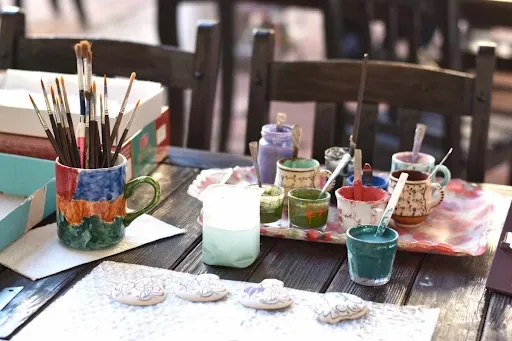
Infusible Ink pens work by letting you draw or write your own design, which then sublimates into the coaster just like a transfer sheet. The pens differ from sheets because you create the artwork yourself rather than cutting a pre-inked sheet.
You draw on laser copy paper - not directly on the blank - then transfer with heat. Cricut markers load into the machine to draw precise designs, or freehand markers let you write by hand for a signature or quick note.
Pen projects create unique, handcrafted designs that a cut sheet cannot match, like handwritten dates or kids' drawings. The sublimation fastness of these dyes rises with molecular weight, which is why the finished line resists fading once fused.
Frequently Asked Questions About Infusible Ink Coasters
What Are Infusible Ink Coasters?
They are coasters made by fusing pigment into a coated blank with heat, so the design becomes part of the surface. Unlike vinyl, the result is smooth, peel-proof, and crack-resistant with no raised edge.
Which Cricut Machines Can Be Used To Create Infusible Ink Coasters?
Cricut Joy, Joy Xtra, Maker, Explore, and Venture machines all cut Infusible Ink designs. The machine handles the cut, while a separate heat press that reaches 400 degrees does the actual transfer onto the blank.